 ICT4LT Module 1.4ICT4LT Module 1.4
This module aims to familiarise the student with the basics of Computer Assisted Language Learning (CALL), beginning with a descrption of what CALL is all about, its historical development and an overview of different types of programs. Different approaches to using CALL software in the languages classroom are explored, from whole-class teaching to distance learning. Section 8, by Sue Hewer, focuses on text manipulation, a specific use of CALL that has proved popular with language teachers since it first appeared in the early 1980s. Multimedia CALL is only referred to occasionally in this module as it merits special treatment and is covered in detail in Module 2.2, Introduction to multimedia CALL.
This Web page is designed to be read from the printed page. Use File / Print in your browser to produce a printed copy. After you have digested the contents of the printed copy, come back to the onscreen version to follow up the hyperlinks.
Contents of Section 1
The acronym CALL (Computer Assisted Language Learning) appears to have been coined at the beginning of the 1980s. The first occurrence we have found is in (Davies & Steel 1981). By 1982 it was in widespread use in the UK, featuring in the title of Issue No. 1 (July 1982) of the newsletter CALLBOARD and in Davies & Higgins (1982). In the USA the acronym CALI (Computer Assisted Language Instruction) was initally preferred, appearing in the name of CALICO (founded in 1982), the oldest professional association devoted to the promotion of the use of computers in language learning and teaching. TESOL favoured CALL, setting up its CALL Interest Section (CALL-IS) in 1983 (Kenner 1996). The term CALI then appears to have fallen out of favour because of its association with programmed learning, i.e. a teacher-centred rather than a learner-centred approach that drew heavily on behaviourism, and CALL is now the dominant term. CALICO now uses the term CALL in preference top CALI.
An alternative term to CALL emerged in the 1980s, namely Technology Enhanced Language Learning (TELL), which was felt to provide a more accurate description of the activities which fall broadly within the range of CALL. Brown (1988:6) writes:
Learning a foreign language can enrich the education of every pupil socially and intellectually and be vocationally relevant. The new technology should form an integral part of a modern language department's overall teaching strategy. By these means, to coin a communicative-sounding acronym, TELL (Technology Enhanced Language Learning) can help produce telling results in language performance both in school and in the wider world. It therefore has a place in every modern language department.
During the 1990s TELL was adopted by the TELL Consortium (now defunct), University of Hull, and it figured in the name of the journal of CALL-Austria, TELL&CALL (now defunct). See also Bush & Terry (1997).
Throughout the 1980s CALL moved away from its initial leanings towards behaviourism and drill-and-practice, widening its scope to embrace the communicative approach and a range of new technologies. CALL now includes highly interactive and communicative support for listening, speaking, reading and writing. Levy (1997:1) provides the following succinct definition of CALL:
Computer Assisted Language Learning (CALL) may be defined as "the search for and study of applications of the computer in language teaching and learning".
This is a catch-all definition, which is endorsed by and figures in the names of the growing number of for CALL throughout the world: see our Resource Centre under the heading Professional associations. It is, however, useful to break down CALL into various subdivisions, and this is reflected in the structure of the ICT4LT website. See Levy & Hubbard (2005), who raise the question Why call CALL “CALL”?
See also:
The Wikipedia article on CALL, which is broken down into sections describing different manifestations of CALL.
Scoop.it! is a useful curation tool that enables you to set up Web pages that gather together links on a specific topic and follow other people's links on the same or related topics. Scoop.it provides a facility for you to "curate" information on your topics by trawling the Web and finding links that you may wish to add to your topic pages. The links are laid out attractively like the page of a magazine. Two of the topics covered are Computer Assisted Language Learning and Virtual World Language Learning.
CALL encompasses many different types of software applications. The applications tend to fall into two distinct types:
(i) Generic software applications
Generic software applications are designed for general use but they are extremely useful in language teaching when used in activities which seek to apply aspects of the functionality of the software to language learning situations. For example, the use of a word-processor to encourage drafting, critical reflection and editing is an excellent use of generic software to further a number of language learning objectives. Generic software applications include:
The term Generic CALL describes authoring packages designed to cover all aspects of CALL program authoring and interaction, from simple gap-filling and multiple-choice exercises to exercises incorporating interactive multimedia, e.g. the MALTED authoring package as described by Paul Bangs in Module 2.5, Introduction to CALL authoring programs.
(ii) CALL software applications
CALL software applications are designed to promote explicit or implied language learning objectives and are usually based on the software authors' beliefs about the ways in which students learn languages. They offer support in the acquisition of knowledge about language and in the application of that knowledge both in discrete and in mixed skill activities. They usually include a substantial degree of interactivity: see Section 2 (below).
CALL software can be content-specific in that the teacher cannot change the linguistic content or the format of the activities which seek to teach that content. Commercial multimedia software supplied on CD-ROM is usually content-specific because it is normally impossible to make any changes to it: see Module 2.2, Introduction to mutimedia CALL.
CALL software applications can also be content-free in that the teacher can provide the content which the software then uses as data for the pre-programmed activities: see Module 2.5, Introduction to CALL authoring programs.
Many people expect far too much of CALL, perceiving it as a replacement for the teacher. The following description of an imaginary scenario was written as an illustration of how some business training managers perceived CALL in the early 1990s:
A business trainee is sitting at a computer following a language course. Step-by-step, the computer presents the essential vocabulary and structures. These are accompanied, where appropriate, by still and animated graphic images, photographs and video recordings. As new words and phrases are introduced, authentic male and female voices pronounce them and the learner repeats them. The learner's voice is recorded by the computer and played back. Any errors in pronunciation are indicated graphically on screen. Offending syllables are highlighted and additional practice is offered on sounds which the learner finds difficult. At the end of each presentation sequence, the computer tests the learner's grasp of the new vocabulary and structures, marking and recording those words and phrases which have been imperfectly recalled and offering feedback on points of grammar that the learner appears to have misunderstood. The learner has access at all times to an online dictionary, a reference grammar and verb conjugation tables. At the end of the work session the learner's progress is recorded by the computer, which enables the thread to be picked up at the next session. In addition, the learner's progress records - along with those of all the other trainees following the same course - can be accessed at any time by the training manager. Davies (1992:113)
To some people this is utopia, to others it is a nightmare. An integrated system of this level of sophistication still does not exist, many years after the above text was written. There are, however, many programs that will do independently what is described above, and these are briefly described in Section 3, below. Thankfully, human beings still have a role to play in language teaching and learning, although some administrators would like to dispense with them in order to save money: see the section headed "Beware of the administrator" in Davies (1997:29-30). Technology has to be treated as an aid and not as a panacea (Davies 1997:29). It is no accident that we talk about Computer Assisted Language Learning.
The term interactivity in the context of CALL has traditionally been associated with human-computer interaction - the stimulus / response / feedback paradigm - involving the use of a range of stimuli (text, images, audio or video), learner responses using a range of input devices (keyboard, mouse, touch screen or speech) and various types of feedback (text, images, audio or video). More recently the term interactivity has been "trivialised to simple menu selection, clickable objects or linear sequencing" (Sims 1996:1) and even to "passive" types of interactivity, such as interacting with a digital TV set by pressing the red button on a remote control device and pressing the number keys. And now we use the term interactive to describe the interactive whiteboard, where most of the interactivity is engendered by the teacher using the whiteboard as a stimulus in whole-class teaching: see Section 4, headed Whole-class teaching and interactive whiteboards, and Section 7, Module 1.3, headed Using PowerPoint. The whiteboard itself is not interactive; it's the software that it uses - and this may include traditional software embodying the stimulus / response / feedback paradigm mentioned above - or the way in which the teacher uses the whiteboard, e.g. getting the students to come out to the front of the class and make menu choices or using whiteboard presentations as a stimulus for oral and role-play activities.
In many respects it appears that interactivity is a "forgotten art" (Sims 1996), having been reduced to multiple-choice and point-and-click activities with little or no feedback apart from a bland "right" or "wrong" response. See:
We appear to have moved away from full-blown interactivity in ICT and language learning, especially the so-called ICALL (Intelligent Computer Assisted Language Learning) types of activities in which the following kind of interaction could be found - an authentic example of semi-intelligent matching from a package called CLEF (first published in the late 1970s):
Task: The learner has to fill in the blank with the correct form of one of the following verbs: chanter, parler, répondre.
The learner can also, at any point in the above routine, hit a key that takes him/her to a help page where information about -er and -re verbs can be found. CLEF is still around in a Windows version: http://www.camsoftpartners.co.uk/clef.htm
Camsoft's GapKit and Fun with Texts programs also include basic partial matching routines. For example, Gapkit can be tailored to accept a range of alternative correct answers and is able to spot which one the learner is aiming at and then home in on possible spelling mistakes. In GapKit and in the Clozewrite activity in Fun with Texts, the computer automatically shows the shape of the anticipated answer if the learner makes a mistake on the first attempt and highlights the error or errors. Thus, if the anticipated correct answer is "der Sessel" and the learner answers "das Sessal", the computer will indicate that the answer is partially right and show the shape "d-- Sess-l", inviting the learner to supply the correct letters. Both programs can be tailored by the teacher to be tolerant or intolerant of mistakes made regarding upper case and lower case letters.
ICALL is beginning to make a comeback. See:
Using computers in language learning is, contrary to popular opinion, not a new phenomenon. It dates back to the early 1960s, although it was confined in those days mainly to universities with prestigious computer science departments. By the early 1980s, however, CALL was in evidence in a large number of schools in the UK and the rest of Europe - and, of course, in the USA and Canada.
A potted history of the early years of CALL can be found in Levy (1997:13-46). Sanders (1995) contains a collection of anecdotal articles written by pioneers in CALL covering the period 1965-1995. Davies (1997 - updated 2009) covers the period 1976-1996, reflecting on his personal experiences, and he reminds us that there are many lessons that we can learn from the past that might help us avoid mistakes in the future.The updates in Davies's article highlight some of the major and often unexpected changes that have taken place in the meantime. Two more articles, Davies (2003) and Davies (2005 - regularly revised), take another a look at the history of CALL and attempt to predict where it is heading. See also Davies (2000 - regularly revised), on the History of EUROCALL, Davies (2010), Jung (2005) and Butler-Pascoe (2011).
Philippe Delcloque's History of CALL (2000) began as a poster exhibition that was produced to mark the beginning of the new millennium. The exhibition was set up at the CALICO 2000 and EUROCALL 2000 conferences, where it attracted great deal of interest. It was also set up as a website (now closed) and is currently available in downloadable PDF format from the ICT4LT website: http://www.ict4lt.org/en/History_of_CALL.pdf. Updates to cover the period from 2000 to the present day are being integrated into the ICT4LT site in appropriate places - see below. The ICT4LT site as a whole is regularly updated. New terms are regularly added to the Glossary, which also serves as an index to the ICT4LT site, and references to new books and articles are regularly added to the Bibliography section of the Resource Centre. Topics that were not covered in Philippe Delcloque's History of CALL include:
Blogs, wikis, social networking:
See Section 12, Module 1.5, headed
Discussion lists, blogs, wikis, social networking. The ICT4LT
blog is at: http://ictforlanguageteachers.blogspot.com.
The personal wiki of Graham
Davies, Editor of the ICT4LT site, is at: http://grahamdavies.wikispaces.com
Podcasting: See Section 3.5.2, Module 2.3 for further information on podcasting.
Web 2.0: Contrary to what many people think, Web 2.0 is not a new version of the World Wide Web. Essentially, Web 2.0 is an attempt to redefine what the Web is all about and how it is used, for example new Web-Based communities using wikis, blogs, podcasts and social networking websites that promote collaboration and sharing between users - in other words, a more democratic approach to the use of the Web. See Section 2.1, Module 1.5, headed What is Web 2.0?
Distance Learning, Virtual Learning Environments: See Section 8, Module 1.5, headed Distance learning and the Web: VLEs, MLEs etc.
Virtual Worlds: A huge and fascinating growth area. Section 14.2.1, Module 1.5 on Second Life is the fastest-growing section of the ICT4LT site.
See also Hubbard (2009), a comprehensive compilation of articles by CALL experts from all over the world.
Contents of Section 3
When CALL began to reach a wider audience in the 1980s, a number of efforts were made to classify CALL programs and to identify the changing phases of CALL. Sections 3.1 to 3.6 outline six different attempts to classify CALL programs, phases of CALL and approaches to CALL. Section 3.7 (written by Graham Davies) discusses what has changed and what may have been lost since the early days of CALL. Section 3.8 outlines what you should look for in evaluating CALL software. Section 3.9 raises two discussion topics.
Davies & Higgins (1985) identified the following types of CALL programs:
Writing - word-processing
Hardisty & Windeatt (1989) drew up this simpler classification of four basic types of CALL programs:
Warschauer (1996) and Warschauer & Healey (1998) took a different approach, identifying three phases of CALL, classified according to their underlying pedagogical and methodological approaches:
Behaviouristic CALL: In this phase, which was conceived in the 1950s and implemented in the 1960s and 1970s, the computer played the role of tutor, serving mainly as a vehicle for delivering instructional materials to the learner. Drill-and-practice programs were a prominent feature of this phase.
Using concordancers. See Module 2.4, Using concordance programs in the Modern Foreign Languages classroom.
As pointed out by Bax (2003:15), Warschauer later changed the names and dates of these phases: (i) Structural CALL replaces Behaviouristic CALL and moves forward to the 1970s-1980s, (ii) Communicative CALL moves forward to the 1980-1990s, and (iii) Integrative CALL moves forward to the 21st century: Warschauer (2000).
On the whole, Warschauer's later interpretation of these three phases is in line with the way in which the author (Graham Davies) of this section sees the history of CALL. The term behaviouristic is a reasonable description of CALL in the late 1970s, early 1980s, and the communicative approach, spurred on by the Council of Europe's work on the Common European Framework of Reference for Languages, with its emphasis on functions, notions and communicative competence, had already become the norm for many language teachers by the early 1980s. In 1996 Warschauer claimed that we were well into the integrative phase. Certainly, the range of different types of multimedia CALL software that was available by the mid-1990s was impressive, and the Web had begun to make a significant impact.
Levy (1997:118ff.) analysed the results of a comprehensive CALL Survey which he carried out among authors of CALL materials in order to determine what kinds of conceptual frameworks lay behind their work. The CALL Survey was concluded in early 1991, which followed the boom period in CALL in the 1980s and pre-dated the advent of the Web in 1993. There was strong support among Levy's respondents for the communicative approach to language teaching and task-based learning, but a substantial number also favoured formal grammar instruction. On the whole, however, most respondents declared their approach to be eclectic. As for the role of the computer in CALL, most respondents favoured a non-directive role, with very few supporting the idea of the computer replacing the teacher. There was a significant lack of references to innovative pedagogical approaches:
Data Driven Learning was the only new approach to language teaching that was cited by survey respondents as a direct result of the attributes of the computer. In other words, this approach has been conceived with the computer in mind. (Levy 1997:123)
Data Driven Learning (DDL) is an approach to language learning, pioneered by the late Tim Johns, University of Birmingham, whereby the learner gains insights into the language that he/she is learning by using concordance programs to locate authentic examples of language in use. In DDL the learning process is no longer based solely on the teacher's initiative, his/her choice of topics and materials and the explicit teaching of rules, but on the learner's own discovery of rules, principles and patterns of usage in the foreign language. In other words, learning is driven by authentic language data. See Module 2.4 for more information on DDL and using concordance programs in the Modern Foreign Languages classroom..
Levy could also have mentioned total Cloze text reconstruction programs such as Storyboard, Fun with Texts, Eclipse, Rhubarb (and many other variants), which offered activities that could not be carried out without using a computer. See Section 8.3, headed Total text reconstruction: total Cloze.
Bax (2003) offered a new critical examination and reassessment of the history of CALL, defining and describing three approaches to CALL as opposed to the three phases of CALL identified by Warschauer (1996), Warschauer & Healey (1998) and their modified version as described by Warschauer in a later article (Warschauer 2000): see Section 3.4 above. Bax saw the history of CALL in terms of (i) Restricted CALL, (ii) Open CALL and (iii) Integrated CALL, arguing that this allows a more detailed analysis of institutions and classrooms than earlier analyses. It is suggested that in 2003 we were using the second approach, Open CALL, but that the aim should be to attain a state of normalisation in which the technology is invisible and truly integrated into teachers' everyday practice.
i. Restricted CALL
I call the first approach 'Restricted CALL'. In terms of its historical period and its main features it differs little from Warschauer & Healey's 'Behaviourist CALL' […], but the term 'Restricted' is more satisfactory since it allows us to refer not only to a supposed underlying theory of learning but also to the actual software and activity types in use at the time, to the teacher's role, to the feedback offered to students and to other dimensions - all were relatively 'restricted', but not all were 'behaviourist'. The term is more comprehensive, more flexible and therefore more satisfactory as a descriptor. (Bax 2003:20)
ii. Open CALL
According to Bax, this variety of CALL is more open in terms of feedback given to students, software types and the role of the teacher. It includes simulations and games. Bax claims that in 2003 "we could argue that in general terms we are in an Open phase of CALL, but that each institution and classroom may also exhibit certain Restricted and even Integrated features." (Bax 2003:23)
iii. Integrated CALL
At present (i.e. in 2003) Integrated CALL has not yet been achieved:
The key point about Integrated CALL - which sharply distinguishes it from Warschauer & Healey's formulation - is that it does not yet exist to any significant degree, but represents instead an aim towards which we should be working. (Bax 2003:22)
Integrated CALL implies normalisation:
This concept is relevant to any kind of technological innovation and refers to the stage when the technology becomes invisible, embedded in everyday practice and hence 'normalised'. To take some commonplace examples, a wristwatch, a pen, shoes, writing - these are all technologies which have become normalised to the extent that we hardly even recognise them as technologies. (Bax 2003:24)
In 2003 Bax claimed that there was still an element of fear and awe and exaggerated expectations surrounding ICT, and that this had to be overcome in order to achieve a state of normalisation.
See also Bax & Chambers (2006) and Bax (2011), in which the topic of normalisation is revisited.
What is interesting about the early program examples and types listed above the is that many of them are still available in updated versions and are as popular with the new generation of language teachers as they were with the old: "Plus ça change, plus c'est la même chose" (Davies 1997:27). Text manipulation in particular is alive and well and features prominently in this module (Section 8 below).
It is also interesting to note that generic applications, e.g. word-processors (v. Module 1.3), were perceived as useful way back in 1985 (Davies & Higgins 1985:44), and that as early as 1989 Hardisty & Windeatt (1989) were aware of the importance of communications technology (v. Module 1.5) and using concordance programs in the languages classroom (v. Module 2.4).
Action mazes (also known as text mazes) seem to have lost their appeal for some reason or other. This is a pity, as mazes are useful reading exercises and they can be especially stimulating for group work. Using modern authoring tools, writing a maze is a piece of cake. A package known as Quandary can be used for designing mazes. For more information on mazes see the Quandary website and the entry under Maze in the ICT4LT Glossary. See also Berer & Rinvolucri (1981) for some good, printed examples of mazes. The Quandary website is at: http://www.halfbakedsoftware.com/quandary.php
As CALL has moved on it appears that certain skills have been lost, e.g. the analysis of free-format text input that characterised the CLEF package: Holmes & Kidd (1981) and Holmes (1984:27ff.). While presentation features such as full-colour graphics, sound and video have improved in leaps and bounds there has been an increasing tendency to neglect features such as discrete error analysis, feedback and branching. The trend today seems to be towards a point-and-click-let's-move-on-quick approach. Levy (1997:xi) sums it up:
I believe the CALL community needs to build upon what has gone before, rather than be led purely by the capabilities of the latest technological innovation. With the almost monthly appearance of new hardware and software there can be a tendency for those interested in CALL materials development simply to pick up the latest machine or technological option and get to work on a project. If the technology has not been widely distributed, it is rather too easy to impress. Moreover, past work and valuable experience can be ignored or overlooked. It is usual, when commencing research in other fields, to review and extend the work of others, but with CALL the approach can sometimes be a little more cavalier. Over the last three decades, a substantial number of CALL programs have been created. The concepts and principles underpinning the best of these programs do not necessarily become obsolete when the computer that is used to run them is retired. In fact, the valuable knowledge and experience that has accumulated through this work needs to be absorbed and used to inform new projects in the future.
On the other hand, many new exciting developments have taken place:
Blogs, wikis, social networking: See Section 12, Module 1.5, headed Discussion lists, blogs, wikis, social networking.
Podcasting: See Section
3.5.2, Module 2.3 for further information on podcasting.
Web 2.0 applications: See Section 2.1, Module 1.5, headed What is Web 2.0?
Distance Learning: See Section, Module 1.5, headed Distance learning and the Web: VLEs, MLEs etc.
Virtual Worlds: A huge and fascinating growth area. Section 14.2.1, Module 1.5 on Second Life is the fastest-growing section of the ICT4LT site.
The time appears to be ripe for a new interpretation of the technological phases of CALL. It might look like this:
Dumb CALL (1970s to 1980s): The term dumb is used because at this time computers did not offer sound or video. The earliest microcomputers did not even offer text in different colours; they could only display white text on a black background - or white on green and various other combinations. The ability to produce primitive images, however, was a feature of most computers that were available in the mid-1980s. There were various ways of overcoming the problem of the lack of sound and video, e.g. linking a tape recorder or a videodisc player to a computer, but such solutions were often expensive and difficult to implement. Because of the technological restrictions in this period, most computer programs fell into the drill-and-practice category and could be described as behaviourist, but more imaginative programs such as the Granville simulation, consisting of text and primitive images, began to make their appearance in the mid-1980s, and multimedia simulations for computers linked with interactive videodisc players also appeared, e.g. Montevidisco (Schneider & Bennion 1984) and EXPODISC (Davies 1991): see Section 5.10, Module 3.2, headed Branching dialogues.
Multimedia CALL (1990s to present day): The multimedia computers that appeared in the early 1990s were a major breakthrough. They offered soundcards, which meant that sound could be played and recorded without having to link the computer to other devices. The quality of images that could be produced on a computer screen improved, and eventually high-quality photographs could be displayed. Some packages that first appeared on videodisc became available on CD-ROM, and new simulations such as Who is Oscar Lake? appeared. Video quality was very poor to begin with, but it has improved immeasurably over the years with the advent of computers equipped with more powerful graphics cards and DVD drives. In spite of these technological improvements, however, a substantial number of CALL programs remained stuck in the drill-and-practice rut, but it was not all bad news: see Section 3, Module 2.2, headed Multimedia: possibilities and contraints.
As for the pedagogy and methodology, I tend to agree with Bax (see Section 3.6, above). Most people (i.e. in the second decade of the millennium) are probably using Open CALL, but "each institution and classroom may also exhibit certain Restricted and even Integrated features." (Bax 2003:23): The one thing that has become evident in the history of new technologies is that pedagogy and methodology are slow to catch up with each major breakthrough. Putting old wine in new bottles is not recommended, but everyone seems to do it.
To what extent a state of normalisation has been achieved is still a matter of debate. Judging by the explosion of Web 2.0 applications, discussion lists, blogs, wikis and social networks that has taken place in recent years, using computers (especially for communication) is the norm for a very large section of the public in most advanced nations, but many language teachers still remain sceptical: See:
This section addresses the key issues that need to be considered when evaluating CALL software. See also:
Evaluating CALL software is not a straightforward job. It's quite different from evaluating a book. A good deal of the contents of a CALL software package or a website will not be immediately visible and will only appear if the user follows a particular route. In addition, there are factors such as screen design, user-friendliness, nature of the interaction, etc to take into account. . Allow at least an hour to examine a CALL software package or a website. You may need a lot longer for multimedia packages. See:
As you can see from the range of different types of CALL programs listed above, it is difficult to apply one set of evaluation criteria to CALL software, and then there is the issue of how you intend to use the package in your teaching programme, e.g.
The key issue, as Chris Jones pointed out as long ago as 1986, is: "It's not so much the program: more what you do with it" (Jones C. 1986). We pick up this theme again in Module 2.1, Integrating ICT into language teaching.
When examining a new software package it may be useful to ask yourself the following questions:
Finally, what you feel about a CALL software package is often a question of personal taste. All too often teachers dismiss a CALL package as "rubbish" without considering, for example, who the intended users are and how they are likely to use it. Try to put yourself in the position of the user. Just because you happen to dislike adventure games, don't assume that they won't appeal to a disenchanted 13-year-old male learner of French. If you don't believe in presenting grammar exercises on a computer, then don't assume that they won't appeal to the sixth-form swot. It's a question of horses for courses.
Behaviourism and authenticity: Both these terms are almost guaranteed to inflame discussions among language teachers. Behaviourism is unquestionably a dirty word in many language teachers' minds, whereas authentic materials have became a sine qua non in almost all language courses, both traditional and ICT-based. Consider the following. What do you think?
Graham Davies writes (unpublished email communication, 2005):
I don't mind materials being behaviouristic and artificial, especially in the early stages of language learning - no more than I minded circuit training in the gym as a way of toning up my muscles for playing rugby when I was a younger man, and no more than I minded practising putting on an aqualung in four metres of water at our local swimming pool while training as a scuba diver, and no more than I minded practising linked stem turns as a novice skiier, and no more than I now mind going to our local golf driving range regularly to whack 100 balls using my whole range of clubs from the pitching wedge to the driver. Behaviourism can be effective, as long it's not the main way of acquiring experience in a new skill. In other words, a virtual language lab is OK for practice in same way as using a golf range is OK for practice, but playing the game of golf is much more enjoyable and ultimately the best way of becoming a good golfer - and visiting a country and using the language is the best way of becoming a good linguist. As Phil Turk put it on page 3 of his article titled "Re-educating anglophones and other irreverences" in the Summer 2005 edition of Language World, the newsletter of the Association for Language Learning (ALL): (http://www.all-languages.org.uk): "Ah, authentic! Why, oh why is it that footballers and other sportspersons do press-ups and other exercises to train their muscles and reactions, but which are not part of the game, ditto classical musicians with their scales and arpeggios, yet everything language students practise has to be 'authentic'? Can't we just flex our brains and whatever else to get avoir or whatever right, out of context for a few moments?"
The computer: magister or pedagogue? Higgins (1985) makes a distinction between the role of the teacher as a magister or a pedagogue. He extends this distinction to different approaches to using computers in language learning and teaching:
Two possible models of what a teacher is might be called magister and pedagogue. The magister wears a gown to show that he is qualified. He is paid a salary every month. He carries a stick, real or metaphorical, with which to beat the children who give wrong answers. He makes assessments, right or wrong, good worker or lazy student. Most important of all, he chooses the order in which things happen, what is to be learned and what kind of activity the learners will carry out. However kind or humanistic he is, these are still his functions.
The pedagogue is the Greek slave. Originally just the slave who escorted the children to school, he is used by the patrician family to walk a few paces behind the young master. When the young master snaps his fingers, he comes forward to give information, answer questions, or perhaps, if that is what the young master wants, to conduct an argument or give a test. He may be expert, but his expertise only emerges on demand: he is a walking library. He doesn't earn very much, and knows that, once he fails to satisfy, he will starve.
How do you perceive the computer - as a magister or a pedagogue?
Contents of Section 4
See also Section 7, Module 1.3, headed Using PowerPoint.
When computers were first introduced into schools in the 1980s it was usual for a teacher to bring a single computer into the classroom and teach the whole class, using a stand-alone computer, for example a BBC Micro in the UK, connected to a large TV screen. The teacher or a student would operate the keyboard, and the class would be asked to respond to what appeared on screen. The teacher might use the computer, for example, as a stimulus for eliciting oral responses from the class. This approach worked very well with a variety of programs, e.g. text manipulation programs, simulations, and programs such as Quelle Tête in which the aim was to build up a person's face on screen by keying in descriptions of the person's nose, eyes, hair, etc. The All-in-One Language Fun multimedia CD-ROM contains a face-building activity that would work well in a whole-class teaching situation: see Section 3.4.2, Module 2.2, headed CD-ROMs for young learners.
Sue Hewer writes:
I used the full-class approach with a class who were reluctant speakers of the target language. I used the screen as a focus and, with the help of various games devised largely by Barry Jones (Homerton College, Cambridge), students' confidence grew and they proved to be much more willing to "have a go" than if there was no focus for their eyes and the eyes of the rest of the class. I also used the full screen with the CopyWrite component of Graham Davies's Fun with Texts software (see Section 8, below) to promote discussion about language, in addition to an ancient piece of software, produced by the ITMA group, called Clues, which enabled you to mark up the same text in lots of different ways, including colour coding and various forms of gapping. This, too, made a discussion about grammar quite palatable. It was possible to obtain printouts of some of the markups (no colour printers then!) which were then used in small-group follow-up activities at different levels.
Here are two more ideas that date back to the early 1980s: (a) the French CLEF package and (b) Camsoft German. The CLEF package has lots of animated sequences, illustrating points of French grammar. Lessons 10 and 11 on agreement and position of adjectives include sequences in which an adjective drifts across to a noun, slotting into the correct position either in front of it or behind it. A feminine and/or plural ending is then added - if necessary - in a different colour. Camsoft German included sequences showing inverted word order in sentences beginning with a time phrase, and subordinate clause word order. Both sequences made use of animation, showing the verb wandering to different parts of the sentence. It made inverted and subordinate clause word order look easy - which it is once you understand the rules. There were also programs that illustrated the position of prefixes of separable verbs. The Camsoft German sequences were originally programmed in BASIC, but they would be quite easy to replicate using modern presentation tools such as PowerPoint. CLEF is still available from Camsoft in a revamped Windows version. The idea of illustrating the rules of word order in German has recently been revived in the German Grammar Visuals CD-ROM, produced by the Goethe-Institut London in collaboration with Oxford University Press.
Whole-class teaching went out of favour as computers became cheaper, and it is not unusual nowadays to find a school equipped with several networked computer labs, each one set up for a specific purpose. There is no doubt that the availability of this kind of computer lab has its advantages, but it can also lead to the "battery chicken" approach to language learning, which sounded the death-knell for the language laboratory (Davies 1997:28-29), and this has caused many teachers to become sceptical about the use of computer technology in this way. In addition, many teachers find it difficult to get regular access to a computer lab. The advent of lower-priced, high-quality projection equipment and the interactive whiteboard (see Section 4.2) has brought about a revival in whole-class teaching with a computer.
Computer labs still, however, have still continued to play an important role, as indicated by Heather Rendall in Section 5 (below), headed Teaching in the computer network room. Computer lab work is very effective in offering the intensive one-to-one practice that language learners need, as claimed by two of the contributors to Module 3.1, Managing a multimedia language centre:
See also Davies et al. (2011), Setting up effective digital language laboratories and multimedia ICT suites for Modern Foreign Languages, London: CILT.
There has been a good deal of discussion in recent years about the pros and cons of interactive whiteboards (IWBs). Some teachers believe that they are just another techno-gimmick, "an overhead projector on steroids", while others are brimming over with enthusiasm for this new presentation medium. The following sections take a look at interactive whiteboards and the software that you can use with them. There are also links to selected resources that are available free of charge or from companies spacialising in IWB software. A selection of publications on IWBs can be found in Section 4.11, headed Further reading.
A common misconception is that you have to buy special IWB software to go with an IWB. This is not so. Any software can be used on an IWB - or on a stand-alone computer linked to a data projector, with the image projected on a standard wall screen: CD-ROMs, Internet, Word documents, Flash, EXE files etc. It's what you do with the software and how you interact with the class that makes the difference. We've known this for years, dating right back to the days of the BBC Micro and the large TV set, which were used for whole-class teaching in the 1980s, when Chris Jones wrote an article with a title that says it all: "It's not so much the program: more what you do with it" (Jones C. 1986). We pick up this theme again in Module 2.1, Integrating ICT into language teaching. It can indeed be argued that interactive is a misnomer as applied to an IWB, insofar as it's not the board that is interactive, but the way in which the teacher uses it: see Section 1.2 (above), headed Interactivity. Many teachers who are using IWBs are simply underutilising the technology. Above all, you do need to adapt your presentation style. A skilled operator can work magic with an IWB, but an untrained teacher might just as well stick to a computer, data projector and wall screen - or just chalk and talk.
You do not necessarily have to pay a fortune for a special licence for software you intend to use for whole-class teaching. There are many packages for which you only have to buy a single-user licence, providing that the software is installed only on one computer at a time. Unless the terms of use of the software state specifically that a special IWB licence or whole-class teaching licence is required, then you do not have to buy one.
There are many software packages around that lend themselves to whole-class activities using an IWB without any special preparation, e.g. text manipulation packages such as Fun with Texts ( Section 8, below) and multimedia simulations such as Who is Oscar Lake? (Section 3.4.9, Module 2.2).
If you wish to produce your own materials for use on an IWB, you can do a lot with electronic worksheets created with a word-processor or with presentations created with PowerPoint: see Module 1.3, Using word-processing and presentation software in the Modern Foreign Languages classroom. Bear in mind that you may require a fair amount of preparation time if you want to produce something that is a real advance on what you can do with other media.
There are some fundamental issues that need to be addressed concerning the use of IWBs. One of them is what an IWB can do. All any IWB can actually do is to carry a signal from the board to the computer, which is the equivalent of a mouse-click. This controls whatever is on the computer. The IWBs produced by Smart and Promethean both have pens, and both have drag-and-drop facilities in their own software, but a Smart IWB can also be controlled by your finger. This has led to great popularity in the primary schools market where pupils find it easier to use their finger when they are still learning to use a pen to write on paper.
You may, however, find a laptop and data projector are more flexible than an IWB, as they can easily be moved around to different locations. An IWB screen imposes certain restrictions. The screen is usually fixed in one place and has to be of limited size, and you have to be able to reach to the top of the screen in order to initiate certain functions, so it has to be hung in a fairly low position. In a long room the screen may look small from the back row. The maximum group size for comfortable viewing is around 30 people. A laptop connected to a data projector is the better option for larger audiences, as the wall screen can be much bigger.
One of the key advantages that we are coming across with IWBs is the ability to annotate over other applications. For example, if you are running a PowerPoint presentation or a CD-ROM, you can freeze the page and write comments across the top of it. This can all be saved and brought back at a later stage or accessed by pupils from the school network.
See this Teachers TV video: Improving your Presentations. Year 1 primary school teacher Lise Bosher is challenged to improve her presentation skills using ICT. Presenting to pupils is something teachers do on a day to day basis, yet many are still nervous about incorporating ICT into their presentations. Lise meets Joe Dale, a middle school French teacher, who is already using ICT technology to enhance his own presentations. After observing one of his classes, Lise returns to her own classroom to put the presentation technology she has learned into action.
See this summary (in Word format) of a discussion that took place in the MFL Resources forum in response to a question posed by Graham Davies in 2008: ICT Effectiveness. The question was How effective is the use of ICT in language learning and teaching? - focusing on the effectiveness of ICT in general , but most teachers responded as if the abbreviation ICT were synonymous with IWB, indicating the extent to which the IWB has penetrated education, especially in the UK. On the whole, most of the respondents were positive about IWBs
Gray et al. (2005) are generally positive about the ways in which IWBs can enhance whole-class teaching and engage learners, but they also point out that lessons can easily turn into "show and tell" sessions with the learners playing a passive role. This is a common criticism of the way in which teachers use IWBs. There is a discernible tendency for this new technology to produce a more frontal style of teaching, and consequently fewer opportunities for genuine learner interaction.
Ideally, one should aim at a balance between lively IWB presentations in the classroom, with plenty of learner participation, and opportunities for individual practice in a computer lab. So far, however, there is little conclusive evidence that IWBs per se make a significant difference to language learning. Most of the positive evidence is anecdotal, pointing to students' motivation, enthusiasm and engagement, which may be a very good thing - at least until the novelty wears off. In an article titled Whiteboards under the microscope (The Guardian, 20 June 2006) Julie Nightingale, writes:
Millions of pounds have been spent on providing schools with interactive whiteboards in the belief that they could act as powerful aids to raising attainment, yet the boards are having no discernible impact on children's test scores.
Scott Thornbury takes a much harder negative line. See the ICT4LT blog under the topic heading IWBs are useless. Discuss (May 2009).
The arguments for and against IWBs appear to hinge mainly on how effective they are as teaching aids. To a large extent the effectiveness of an IWB - and this is true of ICT in general - depends on how an individual uses it. So how does one measure effectiveness? Test scores are not necessarily a good indicator. Motivation and learner engagement may be more important factors. But whatever criteria are used, it is important to give serious consideration to the amount of money and training that are required if you intend to buy an IWB - and if you intend to invest heavily in ICT in general. The report produced by Moss et. al (2007) appears to indicate that, with regard to IWB effectiveness, the jury is still out.
For a positive view, see Heather McLean's article How to give lessons a real talking point (The Guardian, 20 June 2006).
These two PowerPoint presentations are ideal for use on an interactive whiteboard:
Direct and Indirect Pronouns
in French: Donated by Alison Kennard, Surrey Institute of Art & Design,
University College:
FrenchPronouns.ppt
Many of these resources are also suitable for presentation on a computer linked to a standard projection screen.
À Tantôt: A website created by Esther Mercier that provides online resources for use on an interactive whiteboard. Resources include videos, starter and plenary activities, games, useful links and much more.
Boarding and Surfing: Making the most of the interactive whiteboard in Modern Foreign Languages teaching. The Cardiff LEA Whiteboard Development Group has produced this useful Web page.
Deutsch im Netz (German on the Web) at the University of South Florida.
GCSE Vocab Presentations: These presentations give blanket coverage of the vocabulary needed for Foundation and Higher level GCSE French as defined in the AQA syllabus. The presentations consist of some 1700 vocabulary items each linked to the appropriate soundfile recorded by a native speaker.
The Interactive Whiteboard Revolution: A Ning community in which the uses of IWBs across the curriculum are discussed by practising teachers.
Interactive Whiteboards - Training for Learning: Ideas and materials for using interactive whiteboards in the Modern Foreign Languages Classroom.
MFL Resources contains a number of downloadable PowerPoint presentations.
MFL Sunderland: Lots of useful downloadable resources and information here and links to other useful sites. Created and maintained by a group of teachers of Modern Foreign Languages in Sunderland schools.
EU Project on the use of Interactive Whiteboards in Vocational Education
Triptico: A useful free resource, created by David Riley. Triptico contains over 20 different interactive resources, all of which are easy to edit, adapt, save and share.
EdpaX: These sets of CD-ROMs are available in French, German and Spanish and cover deliver the full primary school curriculum. Each lesson is sound-enabled, providing pronunciation assistance for both pupils and teachers.
Gamesbox by the Usable Software Company. Gamesbox is designed for the one teacher, one classroom situation. The program contains a large number of 5-10 minute activities suitable for pairwork or as a whole class activity using a single computer and a projector or a computer linked to an interactive whiteboard. The program includes noughts and crosses, picture noughts and crosses, number games, arithmetical games, category games, "Who am I?", colour quiz, verb dice, clock dice (see screenshot above), several games boards, scoreboards, and different "blockbuster" games.
GCSE Vocab Presentations: Richard Hamilton (Cox Green School) has produced sets of PowerPoint GCSE Vocab Presentations in French, Spanish and German, giving blanket coverage of the vocabulary needed for Foundation and Higher level GCSE as defined in the AQA syllabus. The presentations consist of some 1700 vocabulary items each linked to the appropriate soundfile recorded by a native speaker.
German Grammar Visuals CD-ROM, produced by the Goethe-Institut London in collaboration with Oxford University Press.
Linguascope: Stephane Derône's website for learners of English, French, German, Italian and Spanish. An impressive set of materials - some previews (free) and many other materials available by subscription.
Melvin by IC Language. A package of teaching games and activities for introducing and revising any of the official EU languages. Comes complete with over 1000 colour images that cover all the GCSE topics for Modern Foreign Languages.
There are important Health and Safety
guidelines on the safe use of data projectors in the classroom. Data projectors
can expose the eye to potentially damaging exposure levels. Users, especially
students, should try to keep their backs to the beam as much as possible. The
use of a stick or laser pointer to avoid the need for the presenter to enter
the beam is recommended. Projectors should be located out of the sight line
from the screen to the audience. This ensures that, when presenters look at
the audience, they do not also have to stare at the projector lamp. Ceiling-mounted
projectors, rather than table- or trolley-mounted projectors, are recommended.
In order to minimise the lamp power needed to project a visible presentation,
room blinds should be used to reduce ambient light levels. See the article titled
Whiteboard
projector safety fears at the BBC Website, 29 June 2007.
But now short-throw projectors are also available. These projectors have been designed to produce big screen presentations from a very short distance so that the presenter can avoid standing between the beam and the screen. Thus the presenter has more space available for moving around when giving presentations and the screen display is not disrupted by the presenter's shadow which is often the case when regular projectors are used.
See also
This section consists of a personal account and research study by Heather Rendall, who begins by describing her early experiences of teaching in a computer network room (nowadays usually referred to as a computer lab) in the 1980s. An informal three-year research study, beginning in 1996, is also described here. The 1996-1999 study attempted to replicate her early experiences in the 1980s and to provide concrete evidence of the effectiveness of CALL, demonstrating that simple programs can have a lasting effect when integrated on a regular basis with classroom teaching. For further reading see:
Contents of Section 5
It is strange to look back to the early 1980s and realise that there was, in some schools for those who wanted it, greater access to computers then than now. My department’s share of the computer room timetable was six 35-minute lessons a week. As no one else wanted to avail themselves of the room, each of my six classes in Years 7-9 in both French and German were able to have a lesson a week. To have the same access today in a similar 8 form entry school, when ICT is more fully integrated into the curriculum, would require 3 (years) x 8 (forms) x 35 minutes = 14 hours booked to Modern Languages alone. If similar provision were given to the 14-16 year old cohort then the equation would look like this:
5 (years) x 8 (form entry) = 40 x 35 minutes = 23.33 hours a week
Nearly a whole week’s booking of one computer network room! It is not surprising then that, with notable exceptions, whole-class teaching and learning in the computer network room is a methodology which has not taken off in the secondary sector! Which is a pity. Because what we learnt though trial and error in those early days, with the simple (by today’s standards, simplistic) programs that we had to hand, was not just that here was a motivational tool of the first order, but also a medium that could offer, perhaps uniquely, assistance in language learning.
The scepticism with which IT (as it was then called) was met by some language teachers was both voluble and predictable. Firstly they expected it to consist of programmed learning exercises, and therefore, being grammar based, would be boring, and secondly they would frequently ask in disparaging tones, "Ah but where’s the oral input?" As an advisory teacher doing demonstrations in unknown schools with unknown students, this could have been off-putting. Fortunately the programs demonstrated for themselves not only possible oral/aural angles, but also the fact that, though the exercises might be of a type, their content was never the same. But most of all it was possible to predict in advance the students’ own reactions. The programs’ motivational value was such that you could assure staff that: (a) within 30 minutes even their most demotivated 14-year-old would be too absorbed to notice the bell, (b) that someone would comment that they hadn’t known that they knew so much, and (c) that they would within a short space of time not be competing against each other but against their own previous efforts - the zeal to improve on one’s own performance would be ignited.
I relied mainly on three types of authoring program, leavened occasionally with a commercial dedicated "fun" program. Each unit of work in our textbook comprised learning new vocabulary and structures, practising the same and finally using them both in context, so we reflected each stage with a complementary program:
For each unit of work I created files containing the core and extension vocabulary with at least one complete text for Fun with Texts to end with. With these three programs we could parallel every development within the classroom and keep pace with learning - though in the end I think it may have been more the other way round.
Unable to capture any data while in school, I set up a small research project in 1996 aiming to replicate as far as possible the CALL sessions of the 1980s. For the next three years I worked with a half class of 12 students in a small rural secondary school for approximately 30 minutes a week, observing and recording their progress. I have been allowed to set tasks and assessments across the whole year in order to compare performances.
Within the first year it was clear that CALL was having a positive effect. In those areas where a grammar point was totally lacking in English - such as gender and adjective agreement - students’ performances could be seen to move rapidly from total confusion to a system for resolving each task faultlessly.
5.2.1 Example: Word Sequencing
Word Sequencing: a program used with 11-year-olds in their first term of learning French.
The data used in this program consists of pairs of nouns with adjectives which the program jumbles like this:
Each pair of noun plus adjective has to be resorted in turn. To start with, when the skills required to know what to do and in what order, are still being developed, it takes a long time with much oral support before the right pairing is made. In September 1996 a similar set of data that just paired nouns and articles (Un compas et une calculette) had taken on average 2 minutes 7 seconds per pair. The more difficult task with adjectives was introduced in November 1996 and had an average completion rate of 1 minute 13 seconds - already a clear improvement on the easier file. By the end of November 1996 the average time for completing pairing had dropped to 26 seconds, which is about as fast as a solution can be reached.
| Phrase to be sorted |
7.11.96 |
7.11.96 |
14.11.96 |
14.11.96 |
21.11.96 |
21.11.96 |
| Un crayon rouge et des ciseaux rouges | 2m08 | 32 secs | 1m51 | - | 14 secs | 31 secs |
| Un sac bleu et une calculette bleue | - | 59 secs | 48 secs | 1m11 | - | 24 secs |
| Une règle verte et un crayon vert | 2m18 | 42 secs | 24 secs | - | 19 secs | 17 secs |
| Des crayons rouges et un bic rouge | - | 1m04 | 38 secs | 37 secs | 1m56 (!) | 23 secs |
| ! a local distraction caused a delay | - | - | - | - | - | - |
5.2.2 Additional explanation of results (1)
What is also noteworthy is that by this time the number of immediate correct solutions had risen as well i.e. the student made no superfluous moves: each word was placed correctly in turn. The work done on one of the computers was recorded on video, allowing each move to be analysed. The rate of improvement looked like this
| Number completed with the minimum of moves | |
| 7.11.96 | |
| 1st attempt | none out of 1 pairing completed |
| 2nd attempt | 3 out of 7 completed |
| 3rd attempt | 1 out of 1 completed |
| 14.11.96 | |
| 1st attempt | 3 out of 6 pairings completed |
| 2nd attempt | 1 out of 6 completed |
| 3rd attempt | 4 out of 5 completed |
| 21.11.96 | |
| 1st attempt | not recorded |
| 2nd attempt | 3 out of 6 completed |
| 3rd attempt | 8 out of 9 completed |
5.2.3 Additional information of results (2)
It became clear by 1999 that this research group outperformed all other students in the same cohort in free writing tasks with regard to the position and agreement of adjectives. Adjective agreements were not perfect but 70% of the research group used them in the correct position and the only student out of the whole year group to use adjectives freely and with 96% accuracy came from the CALL research group.
There were obviously some drawbacks in the course of the research study: I had to miss the odd week’s lesson because of commitments elsewhere. One student was absent for two terms, and another left the school. But most importantly, it was difficult to keep up with the amount of vocabulary and its range. The number of topics and breadth of vocabulary that these students had been introduced to, and supposedly had to learn, was astonishing. Occasionally there was not even enough time to establish passive recognition, before they had to move onto another totally unrelated subject.
It was, however, very easy to determine when they were not gaining mastery of the topic. Their results on Word Sequencing and the other programs just did not improve in the usual manner. Despite the help offered by CALL, it was occasionally clear that the language and the structures were remaining beyond them. This highlighted the fact that CALL is not a panacea; it is a learning support, an accelerator perhaps but if the introduction to the work is not sound, if the level of language is too far removed from their existing standard, if the choice of vocabulary or structures is too confusing, then any benefit CALL might bring is reduced. It was useful to report back to their teacher that, for example, in the Youth Hostel dialogues, they seemed unable to differentiate between C’est pour combien de nuits? and C’est combien pour une nuit? and that in Lost Property, they were completely unable to handle the pronouns which had suddenly appeared with the briefest of explanations:
This is the briefest overview of work that spanned three years, but hopefully it has given enough data to whet the appetite and to suggest that CALL integrated on a regular basis with classroom lessons can support and enhance language learning to lasting effect.
The final exercise in any unit would be a text manipulation exercise using Fun with Texts. It took very little time to discover that students preferred to tackle each Fun with Texts file in the same order of activities:
Only very occasionally have I met a student or a group who asked to be able to do CopyWrite Easy first!
If you do not know the Fun with Texts program, download the demo copy from the Camsoft website: http://www.camsoftpartners.co.uk/fwt.htm. See also Sue Hewer's contribution to this module: Section 8 (below), headed Text manipulation.
Why do you think students preferred the order of text manipulation activities described above?
Contents of Section 6
This section aims to provide an introduction to self-access learning. Further information, including five case studies of schools and higher education institutions that make successful use of self-access centres, is provided in Module 3.1, Managing a multimedia language centre.
Most of the discussion up to this point has focused on ways in which a teacher can use ICT with a whole class or with smaller groups within a class. ICT in language learning can also have an important role to play in the work that a student completes independently. This type of independent study is often seen in the context of self-access.
Self-access is often thought of in terms of a study or resource centre. It would be more accurate to think of self-access as an approach to teaching and learning. A self-access centre supplies the resources to support an institution that advocates self-access methodology, encouraging independent learning.
There are many activities which can be extremely time-consuming to complete in class and which, to a certain extent, can be better achieved on an individual basis. For example, learning and revising vocabulary, intensive listening practice, practice of grammar structures. Using CALL packages to help students make the most of their own study time has been shown to enhance the productivity of study time alone.
In some instances self-access may have been mistrusted and seen as an attempt to replace teacher contact time and save money: see Davies (1997). Those centres which have adopted self-access seriously have come to realise that far from saving money, a properly-run self-access centre requires a significant injection of time, money and expertise in order to function effectively. The true value of a self-access centre lies in the benefits gained by students who use these facilities.
What are the advantages of using CALL in a self-access context?
There are, of course, some disadvantages, but these can be overcome:
The key questions to be asked when equipping and managing a self-access centre are detailed below. See also Module 3.1, Managing a multimedia language centre, for more detailed information and selected case studies
Note: Networking computers for running software that contains large amounts of sound or video can lead to a significant decrease in the quality and frequent crashes. See the Appendix, Module 2.2, Networking CD-ROMs and DVDs.
Note: Suppliers usually offer single- or multiple-user licences. All your software will have to be licensed to run on a specified number of computers in your institution or you must install metering software to monitor and regulate the number of computers that can use it concurrently. You must buy the appropriate licence for your network or you risk prosecution under copyright law. See our General guidelines on copyright.
Let students and staff know where the facilities are, what is available and when they can be used. Don't just do this at the start of the year when they are bombarded with information. Try to do it constantly: "If you would like to know more about this, try using x in the self-access centre".
Organise hands-on induction sessions, where staff and students get a chance to try out a range of the resources available. This should whet their appetite for more.
Encourage students to timetable themselves a regular study session using self-access materials.
Make a language advisor available to help students plan their studying and use resources effectively. Remember that some students are nervous about using computers. See Mozzon-McPherson & Vismans (2001) on the role of the language advisor.
Do you have ready-made materials you can use or would it be useful to buy an authoring package and create some of your own? This is not as complicated as it sounds! See Module 2.5, Introduction to CALL authoring programs.
See also:
AILA, Scientific Commission on Learner Autonomy in Language Learning
Little (2001), Littlemore (2001) and Schwienhorst (2007) on learner autonomy.
This topic is also covered in:
Contents of Section 7
Clear definitions are hard to come by and confusion can sometimes result. The term distance learning is taken to mean, principally, individual learners working by themselves, at a place and time of their choosing and, to some extent, at a pace and in an order also chosen by themselves. This term encompasses aspects of open learning in that it includes degrees of openness in terms of place, time, pace and content of learning. It also takes in aspects of resource-based learning in that, as the student's knowledge of the target language develops, he/she is often required to work with a range of resources presented in different media, particularly for practice in reading and listening skills. The essential characteristic of this kind of learning is that it involves a substantial element of self-study, often supported by tutors who can be contacted by telephone or email. The term distance learning implies that the students are linked to a centre, from which they are at a distance, for example The Open University in the UK - see the OU's Web page on What is distance learning? Study materials include printed course books and audio materials that cover survival language for the traveller as well as the communication skills needed in a range of settings, at home, work or leisure. The OU makes use of both online tuition and face-to-face tuition. See:
The Open University has also made
some of its language learning materials available via iTunes
and is reporting a huge uptake.
See Section 5, Module 2.3 on Mobile Assisted
Language Learning (MALL).
If we follow through the definition of distance learning given above, students of languages who use less formally organised courses, e.g. the free online language learning courses at the BBC Languages website, can also be considered distance learners.
Many distance learning courses take a multiple-media approach in that materials are produced in the medium most appropriate to their purpose, resulting in learning packs containing a mixture of printed materials, recorded audio and video materials, and CD-ROMs or DVDs. TV and radio programmes and websites are also produced to supplement the learning packs. In the case of The Open University, students are also supported by face-to-face tutorials at local colleges and at residential summer schools.
E-learning (electronic learning) has become a buzzword in recent years. To some people, e-learning describes any application of ICT in learning and teaching, from producing a word-processed handout to a full-blown course on the Web. The whole of the ICT4LT website is, therefore, in this sense all about e-learning in the context of teaching and learning foreign languages. Other people perceive e-learning in a more limited way, i.e. online learning in the sense of distance learning on the Internet. Because of a lack of agreement on what e-learning is all about, it probably makes sense to use the term online learning when talking about distance learning on the Internet and to use CALL (Computer Assisted Language Learning) as a catch-all term for the use of computers in language learning and teaching. See the Glossary entry on E-learning, which will link you to other relevant terms.
Virtual Learning Environment (VLE): A VLE is a Web-based package designed to help teachers create online courses, together with facilities for teacher-learner communication and peer-to-peer communication. VLEs can be used to deliver learning materials within an institution or within a local education authority. They may even address a wider constituency and may be used on a worldwide basis. VLEs have certain advantages in terms of ease of delivery and management of learning materials. They may, however, be restrictive in that the underlying pedagogy attempts to address a very wide range of subjects, and thus does not necessarily fit in with established practice in language learning and teaching. See Section 8, Module 1.5 under the heading Distance learning and the Web: VLEs, MLEs etc.
Blended learning has also come into vogue, describing a blend of distance learning online combined with face-to face tutorials. See Section 4, Module 2.3, headed Hybrid systems and blended learning.
Computer Aided Assessment (CAA) is another area worthy of consideration in distance learning, which we discuss in Module 4.1.
So, what kinds of added value can ICT bring to distance language learning courses in the short and medium term? The different kinds of value that can be added by ICT are considered in the following sections within the current context in which distance language learning is usually an alternative to face-to-face. However, it is important to bear in mind that the improvements in the ability of ICT to facilitate the creation of rich and productive language learning environments for use at a distance now affect course design, and consequently the dichotomy between distance learners and face-to-face learners may well diminish, with some activities taking place online rather than in a classroom because the learning that results is of a higher quality. These changes are already taking place not only within further and higher education, but also at secondary level, where ICT has a role to play in the maintenance of lesser taught languages as well as providing opportunities for good linguists to acquire second, third and fourth languages on their own initiative. Students in the early years of secondary education (11-14) in some schools can already be described as distance learners when their homework invites them to visit a website, gather up information and present it by email to other members of their group in time for the next week's lesson.
Where distance language learning courses are managed centrally, as is the case with The Open University, course mailings are substantial both in terms of numbers and quantity. For example, in addition to the pack of materials, students receive timetables which include dates for the completion of assignments and sample assessment questions and answers. Course websites have now taken over much of the mailing related to course management and administration, saving on staff time and the costs of mailing. Student queries are increasingly sent by email and responded to in the same way, making the handling of queries easier than, for example, by telephone, where no record is available for university staff or students. It also makes it easier for staff to plan the time they devote to coping with queries. Communication between students and their tutors by email is increasing as more students and staff get online. The advantage to both by being able to read and reply to messages at a time of their own choosing is likely to result in more reflective and higher quality questions and responses than if the same requests were made by phone, and a much quicker turn around than if the same requests were made by traditional mail. These value-added factors might seem to be very trivial. However, what both students and tutors have little of is time. Anything which can help them to make the most of the time that they have available to them must result in a qualitative improvement in their contribution to the course. As all of the documents concerned with course management and administration are already word-processed, the costs involved in putting them up on a website is minimal and substantial savings can be made in printing, envelope filling and mailing.
In 2002 The Open University introduced Lyceum into language teaching online. It was an audio-graphic conferencing system developed and used exclusively in-house. Lyceum provided students and tutors with voice conferencing and synchronous visual workspace tools that operated over the Web. This enabled students to hear each other and talk to each other simultaneously, but not to see each other. Participants could access different "rooms" within the system, screen-grab material from any digital source, and share a variety of visual tools such as whiteboards, a so-called concept map suitable for brainstorming exercises, a word-processor and textual documents. There was also a chat facility. See:
More recently, The Open University has adopted the Moodle virtual learning environment: see Section 8, Module 1.5 under the heading Distance learning and the Web: VLEs, MLEs etc. Moodle has its own Moodle for Language Teaching Community - log in as a guest or register to join the community. Listen to the Callspot podcast in which OU lecturers Regine Hampel and Uschi Stickler are interviewed on the topic Distance Language Teaching Online.
Many other university courses are currently using the Web to put up information relating to matters concerned with course management and administration, for both campus-based and distance learning students. This trend is likely to continue and expand as Web programming becomes more flexible and security of information more reliable.
CD-ROMs are ideally suited to the delivery of content, particularly where students are invited to interact with the materials presented. CD-ROMs can store text, images and audio and video resources and can also be used to store certain types of interactive programs that are currently difficult to provide via the Web, e.g. programs that enable the learner to respond orally to a stimulus, record his/her own voice and play it back: see Module 2.2, Introduction to multimedia CALL. CD-ROMs provide a very cost-effective way of delivering content. However, the cost of producing multimedia CD-ROMs is very high, given that a team approach is required involving graphic designers, audio and video technicians and animation specialists, as well as curriculum specialists and programmers: See Module 3.2, CALL software design and implementation. The delivery of course content on CD-ROM is therefore probably an option that is currently only open to large institutions that can effect economies of scale. On the other hand, it is less expensive in design and production terms to use CD-ROMs simply for storage of texts, images and audio and video files without interactive exercises. Texts can be stored in such a way that they can easily printed out by students if they prefer to read from paper rather than the screen - which is less of a strain on the eyes.
The Web is clearly a candidate for the delivery of pre-written and recorded content. Many courses in a wide range of disciplines already make use of the Web to present course materials to students. Such courses may provide students with lecture notes, images and graphs, audio and video files, and links to relevant websites and to additional reading materials.
Campus-based students are unlikely to have to pay for their online charges, but home-based students may have to add these costs to their course fees. Currently the time taken to download Web pages containing mainly text is very short, even via a 56Kbps dial-up modem. However, materials containing images or audio or video files can take several minutes to download via a dial-up modem. With the increasing availability of broadband to home users - a typical broadband connection being at least ten times faster than a dial-up modem connection - the problem of long download times is being overcome.
The delivery of up-to-date content for the Web is discussed elsewhere at this website. See:
The provision of up-to-date content for distance learners, especially on large courses, is not a trivial task. The accessibility and content of the websites has to be checked regularly and any significant changes communicated rapidly to students, especially if content is related to course exercises or assessment tasks, when changes will have to be reported to students daily.
The most obvious disadvantage of learning a language at a distance is the lack of opportunities to interact in the target language with other students, with tutors and with native speakers. Even if some contact sessions are available to you, the time or place or both are not always convenient. As far as traditional media are concerned, letters impose a level of formality which is not necessarily consistent with the course content nor the needs of the learner. The telephone is an alternative but, as all language learners know, it is a particularly stressful medium, especially for beginners, because the usual clues provided by body language and eye contact are absent. Conference calls which are managed by a tutor can go some way to meeting the interactional needs of isolated students. However, as with face-to-face meetings, they happen at a specific time at which you have to be sure to have access to a telephone, which is preferably not a mobile phone (cellphone) as costs can then be high.
ICT, however, can improve dramatically the opportunities for students to interact with other students, their tutor and native speakers. Such opportunities can be provided as integral course components, as optional extras, or as informal additions suggested by tutors but in no way controlled by them nor monitor. See:
The most obvious way for students to interact is by email: see Section 14, Module 1.5, headed Computer Mediated Communication (CMC). Because email can be one-to-one or one-to-many, it is possible to set up small groups using group addresses either to enable them to complete a collaborative task, or to discuss a particular topic in advance of an assignment. Tutors can include their own email address within the group address and monitor student input, sending out "round robins" to alert students to mistakes made frequently by several group members and sending out emails to individual students to correct specific errors. If, in the case of the task, the tutor has a pre-defined role in the task, they can intervene within that role, and move things on or change direction as required. Given the conversational nature of much of the dialogue produced in email messages, such online work is likely to bring about improvements in students' knowledge and use of language not only in terms of their written work, but also in terms of their oral fluency. This kind of group interaction adds value by enabling students to participate in their own time, to reflect on the output of others and on their own input, and to learn from their own mistakes, the mistakes of others and, indeed from the contributions of others. Incoming messages can be read offline and responses prepared in the same way, thereby incurring limited connect charges. It would be impossible to achieve this kind of productive language learning environment using traditional mail.
Where large numbers of students are involved at quite an advanced level in a course which encourages students to express their opinions and to defend them in the target language, it might be worthwhile setting up a discussion list as described in Section 12, Module 1.5, headed Discussion lists, blogs, wikis, social networking. Whilst it is always desirable to have a moderator for public lists, it is essential if the list is to be used as a tool for teaching and learning. In this case, the moderator should be active in both stimulating debate, and in providing discrete error correction. Lists are not always as popular with students as course designers hope and even the most independent of learners needs encouragement and feedback from time to time. Contributions to lists can be read, and responses composed, offline, making it a fairly cost-effective way of promoting group participation.
Informal contact with native speakers can also be obtained via target language chat rooms, using a facility known as text chat. Some caution is needed in alerting students to the use of chat rooms. While it is possible to create private chat rooms for use at a specific time and for a specific purpose, which exist only for a session in which there is some activity in them, most chat rooms are public facilities and can attract less than desirable contributions since there is no moderation because of the real-time nature of the facility. A degree of caution is therefore advised when joining a chat room. However, in the case of more reliable sites, benefits can be gained from this means of interaction, which is not available in any comparable form without the use of ICT. See Section 14.2, Module 1.5, headed Chat rooms, MUDs, MOOs and MUVEs.
We introduce MUDs, MOOs and MUVEs in Section 14.2, Module 1.5, headed Chat rooms, MUDs, MOOs and MUVEs. These are so-called virtual worlds in which the participants adopt different characters and interact with one another. They began as games but are now used increasingly for educational purposes. A substantial and rapidly expanding section at the ICT4LT site is devoted to the virtual world of Second Life: Section 14.2.1, Module 1.5, headed Second Life.
Arising from pioneering work undertaken at the Language Centre at the University of Sheffield, which involved English-speaking students and overseas students pairing up face-to-face on campus to help each other to improve specific aspects of their learning of each other's language, an Internet of what has become known as tandem learning or buddy learning is being practised and researched in a number of European universities. The results are very encouraging and open the way for an expansion of this method of learning into the secondary schools sector. For further information see Section 14.9, Module 1.5, headed Tandem learning (buddy learning).
Perhaps the most exciting prospect for distance language learners to be provided by ICT is the ability to actually talk to other participants online. Thanks to improvements in speed and methods of transmission of sound via the Internet, such interactions are now a reality. See Section 14.1.2, Module 1.5, headed Audioconferencing: a synchronous communications medium. The virtual world of Second Life also provides opportunities for talking to people online: See Section 14.2.1, Module 1.5, headed Second Life.
See also the reference above (Section 7.3) to Lyceum, an audio-graphics conferencing system developed by The Open University. The interactive oral work, interactive whiteboard and email within the task-based learning approach that Lyceum provided was motivating for students and, in their opinion, contributed to the development of their oral fluency, the growth of their vocabulary and an increase in their knowledge of structures and their ability to manipulate them. The email phase of the tasks provided the opportunity for students to gather together the necessary vocabulary and structures for the oral interaction and to rehearse their arguments without the pressure of having to respond in "real time". The whiteboard provided a focus of attention. The foreground could be manipulated during the online session and the results saved to the server. It was also possible, for research purposes, to record all the oral interaction during pre-programmed sessions. Because of the 24-hour availability of access to the server, students could arrange to meet informally without their tutor, at times convenient to themselves.
Commercially produced packages that provide a multi-tool environment with the potential for online oral interaction are now commonplace. This is a very important area to keep an eye on, as its potential for multi-skill, task-based language learning is enormous and can create the kind of opportunities for distance language learners that will enable them to work at that aspect of language learning which is always cited by learners as the most important, namely being able to interact at an appropriate level in the target language.
Another avenue worth exploring is videoconferencing, which we deal with in more detail in Section 14.1.3, Module 1.5, headed Videoconferencing: a synchronous communications medium.
It is not perhaps an accident that one of the most recent sets of courses offered by The Open University is in foreign languages. In most other subject areas the major aims of courses are to distribute knowledge, to give students the opportunity to combine new knowledge with existing knowledge and then to demonstrate their ability to apply their recently acquired knowledge in new contexts. This model of learning does not quite work for languages since knowledge of the language is only half of the picture. Communication or use of language is the other half. For most people it is not only communication, but oral rather than written communication is the skill that they most prize. In order to develop oral skills, you need someone with whom to do so. You are more likely to have the confidence to do so if you feel at ease with the people that you are endeavouring to communicate with. It is important to feel part of a community of people with shared interests. Online activities seem to generate a sense of community among group members very quickly and in a lasting way, especially if the activities are task-based and members depend on each other to complete sub-tasks by given dates so that they can move ahead.
As indicated earlier (see Section 7.3), The Open University, not surprisingly, has been active in researching various components of possible online language learning environments. Student responses to working within such environments indicate the value they place on the affective aspect of being able to communicate directly with other students. They report increased motivation as a result of a decrease in their sense of isolation. Tutors report that a sense of community builds up within half an hour of the start of the first tutorial and that it appears to hold despite differences in levels of competence. There is evidence from email exchanges that personal interests creep into messages as well as the work-related content.
There is a growing body of research into collaborative language learning undertaken online, with particular emphasis on community building. You will find relevant papers at Vance Stevens's Writing for Webheads site.
See also the substantial Section
14, Module 1.5, headed Computer Mediated Communication (CMC).
Contents of Section 3
Text manipulation is the name given to software in which the student has to reconstruct a text that has been "manipulated" in a number of different ways, e.g.
Text manipulation on the computer began to attract wide attention in the 1980s. It has been shown that text manipulation software has an important role to play in enabling students to improve their knowledge of the target language, especially with regard to sentence structure and accuracy of form, calling upon a range of different skills and strategies. See Section 8.3.5 below, which describes different strategies learners might use when reconstructing a text and contains a Skills/Strategies Table for Fun with Texts that can be used to document skills and strategies used by your own students. See Trippen, Legenhausen & Wolff (1988). See also:
Text manipulation packages promote the development of a range of reading, writing and listening sub-skills and, if set up carefully (Myles 1998), can enhance vocabulary acquisition. While not dealing specifically with text manipulation, the following two articles provide evidence, based on empirical research, that CALL programs in general can make a positive contribution to vocabulary acquisition:
It is possible to set up text manipulation activities within a word-processor, as indicated in Module 1.3, Using word-processing and presentation software in the Modern Foreign Languages classroom. However, it is difficult to provide feedback in the majority of activities set up in this way and there is no doubt that students find the immediate and focused feedback offered by interactive text manipulation software both motivating and helpful: see next section, Section 8.2.
The two major programs available which provide text manipulation activities are Fun with Texts from Camsoft and The Authoring Suite from Wida Software. Both of these programs consist of two main components, (i) an authoring program for the teacher and (ii) a student program which sets up the activities. The teacher types in a text, which ideally is related to the course book and/or other work that the students are doing, and the student program turns the text into learning activities.
Fun with Texts offers seven activities based on a single text, which are as follows:.
In each of the above exercises the teacher can decide which words must never be blanked out, e.g. proper names or uncommon words.
Version 4.0 of Fun with Texts enables you to combine the text manipulation activites with multimedia files containing pictures, sound or movies. See the screenshot below:
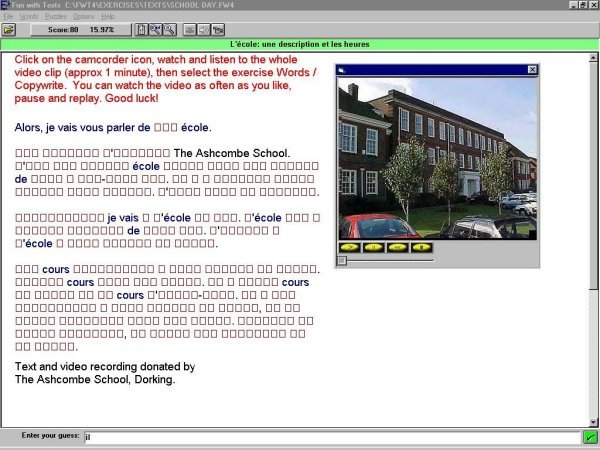
Screenshot: Fun with Texts 4.0
The Authoring Suite consists of a number of different activities or games from which the teacher can choose. Images, sound and video files can be included in the activities. Unlike Fun with Texts, The Authoring Suite does not automatically set up all the activities with the given text because of the very different kinds of activities and games provided. The activities and games are designed to encourage learners to explore language, to develop specific skills or to promote vocabulary learning. The first three of the activities listed below fit the description of text manipulation given above. The activities are as follows. The name of each component in the software is given in brackets.
Vocabulary building (Vocab)
8.2.3 Gap-filling activities on a computer
You might well ask yourself why you should bother with a computer program to set up gap-filling activities when it is perfectly possible to do so on paper. There are a number of reasons, some very practical and some directly related to the value of the learning experience, particularly for intermediate and advanced learners.
From a practical point of view, any computer-based activity always looks as fresh as the day that it was created and does not incur photocopying or printing costs incurred when paper is used.
Text created on a computer is always provisional. If you find that your activity is less than successful, you can always edit it in the light of student responses to it. The fact that text is provisional not only helps you to refine your materials, it is also of great benefit to students. They can type in what they believe fits in with the gaps, review their work and make changes before deciding to submit their answers for checking by the computer. This kind of approach encourages experimentation and self-assessment, both of which are useful language learning strategies which are not encouraged when it is a case of writing something into a gap on paper.
The most important factor in computer-based text manipulation exercises is the immediate feedback provided. See:
Intrinsic feedback does not immediately provide a correct answer when an error has been made. In some cases the correct answer is never given. The software simply indicates that the answer is wrong and it is up to the student to think about why it should be wrong and to try again. Cognitively, this is conducive to learning, particularly if the student has been trained in error identification and the kind of strategies likely to help them to solve problems thrown up by the text. For example, if they are working on a total text reconstruction and find that a word is rejected for a gap which they are targeting, they need to know that they might have tried out an inappropriate word and that they should consult a dictionary. They also need to know that they might have got the correct word, but that it has been spelt incorrectly. If both of those avenues fail to produce a correct input, they should then explore the context of the targeted word and try to work out the meaning of the word that would fill the gap and its likely function.
An alternative form of intrinsic feedback, which is often a feature of gap-filling activities, consists of showing the correct letters in a word input by students, leaving them to work out what the remaining letters should be from their understanding of the text and their own knowledge of the target language. It is also possible for the teacher to provide clues related to the gapped words. There is a great temptation to make these clues fast routes to getting the gap filled correctly. However, care should be taken to provide clues which not only help the student to get the right answer, but to learn something about the word on the way. For example, the missing word might be a less well known verb with the same meaning as a verb which students already know. They can be encouraged to think of or look up an alternative form of the verb that they know, rather than receive a more direct clue related solely to the missing words. Language learning has a lot to do with establishing links of various kinds. Clues can help students to make links and it is important that they do so.
Extrinsic feedback is more explicit, rather like the advice and encouragement that a good teacher would offer.
Total Cloze dates back to an idea developed by Tim Johns and John Higgins in the early 1980s.. It's an interesting idea and one which could not have been implemented easily without the use of a computer: see Higgins & Johns (1984:57). Total Cloze programs have appeared in a wide variety of different forms: see Levy (1997:24-25) and Davies (2007b).
At first sight, total Cloze appears to be a daunting task. The learner is presented with a screen full of groups of small squares indicating letters, as in the screenshot from Fun with Texts in Section 8.2.1. The teacher may set the program up so that a few key words and proper names remain on screen, but usually the learner is presented only with screen full of blanked-out words. The teacher may allow the learner to view the text for a short time before beginning the task of text reconstruction or the learner may be given some kind of prompt to work from, such as one of the following:
By using a variety of skills and strategies (see Section 8.3.5 below) learners soon find that it is very quick and easy to get a skeleton of the text up on the screen and that this begins to suggest what the other missing words might be. In total Cloze programs, every occurrence of a word input by the learner appears immediately in the text in its correct place. If the learner correctly guesses a subject pronoun, s/he will then know that it makes sense to look for a verb to accompany it and that the verb must be correctly conjugated. Most learners adopt a sensible approach in reconstructing the test: for example, trying out content words found in the prompt, words suggested by a picture prompt, or words contained in an audio or video recording. These words add shape to the text and indicate aspects of sentence structure which should spark off further ideas for words to be input. Eventually the learner will be left with one or two stubborn gaps. Decisions will have to be made at that stage as to which of the help options to take, e.g. ask for the first letter of a missing word, ask for the whole word to be inserted, or have a look at the original text in its entirety. The different levels of help incur different penalties, causing the learner's score to go down by a lesser or greater degree.
The very nature of total Cloze forces the learner to engage with the text, to speculate on and explore the likely contents, and to take risks. If the input is wrong, the learner is simply invited to to have another go. There are no recriminations. The learner has to go back and work out an alternative - something which we all have to do in any language if communication fails. Research by the author of this section revealed that it is not unusual for a group of three learners working together on total text reconstruction to take up to 100 linguistic decisions in the space of half an hour, which is very high compared with many other language learning activities. Because of the gaming nature of the activity, learners rarely go off-task. Observations indicate little evidence of over-use of the help functions to complete the task - learners appear to like a challenge.
Using your downloaded copy of Fun with Texts:
Hint: If you are unsure how to copy and paste a text or an image from a Web page into another application, see the technique described in Section 2.1, Module 2.3, headed Saving Web pages and selections from Web pages. You should use the same technique when pasting a text into Fun with Texts from a word-processor, e.g. Word. You should always first paste the text into Notepad (or a similar tool that is used to produce plain text) so that all the invisible control characters that abound in Web or Word documents are removed or are transformed into visible "blobs" that you can delete. You'll be surprised how many characters of this sort exist in a Web text or in a word-processed text - and they can wreak havoc when pasted into another application. Once you have removed the redundant characters in Notepad copy the text again and then paste it into Fun with Texts.
Using the Skills/Strategies Table below (Section 8.3.5), put a tick alongside the skills and strategies each time that you use one as you reconstruct the text. Add in any other strategies that you use in the boxes provided.
I drew the plan of my local area on my computer.
I live in the small village in the south east of the area.
As you can see, it is near to quite a large forest.
I go for walks there with my brother and sister and our dog.
We are also not far from the river where we sometimes go fishing.
My school is on the edge of the large industrial zone in the north west of the area.
There are a lot of factories nearby which make different kinds of furniture
from the wood which comes from our forest and from other forests a long way away.
The wood is transported by barge from these forests to the factories but
the furniture is transported by road or by rail.
I think that I am lucky to live in the village, but
I also enjoy going into town to buy clothes and to go to the cinema.
Image: Local area plan
8.3.4 Description of the activity
Imagine that you are in your first year of learning English. Look at the local area plan (see Section 8.3.3 above). You are going to reconstruct a text containing a description of the area in the plan as written by a 12-year-old English native speaker (see Section 8.3.2 above). Try to predict what she will say and make a note of any useful words. When you are ready to begin the reconstruction of the text, go back to your downloaded copy of Fun with Texts, select the text called Area and complete the Copywrite Hard activity - and do not allow yourself the luxury of seeing the text!
8.3.5 Skills/Strategies Table for Fun with Texts
Research conducted by Trippen, Legenhausen & Wolff (1988) revealed some interesting facts about the strategies adopted by students at both secondary school and university level when trying to reconstruct a text. They identified the following eight strategies which were adopted by students attempting a total Cloze exercise - ranked in order of frequency:
Both teachers and learners may wish to use the following table to document skills and strategies used when reconstructing a text that has been completely blanked out. Learners should be encouraged to think out loud each time they enter a new word, indicating why they have chosen that particular word. Working in pairs can be beneficial in this sort of exercise.
|
|
|
| Entering high-frequency words | |
| Using punctuation as a clue | |
| Counting the blanks representing missing letters and using the word length as a clue | |
| Remembering a word from the original text - if you have chosen to read the whole text before starting the text reconstruction task | |
| Looking for words that belong together, e.g. an adjective that is likely to be used together with a noun | |
| Applying your knowledge of a grammatical rule, e.g. a verb ending that matches the preceding noun | |
| Using your own world knowledge | |
| Using the picture prompt to infer what the text is about | |
| Revising a rejected word by applying your knowledge of the target language | |
| Reading the text aloud to help you fill in a missing word | |
| Substituting an alternative word when your input is rejected | |
| Substituting a word with an alternative form, e.g. a different verb or case ending, when your input is rejected | |
| Translating the text into your mother tongue to help identify missing words | |
| Using audio clues - if an audio recording of the text is available | |
| Using video clues- if a video recording of the text is available | |
| Guessing | |
| Other - specify |
Find a suitable text in another language, e.g. from a newspaper on the Web, accompanied by a picture if you can find one, and repeat the above activity. Kidon Media-Link lists links to nearly 20,000 newspapers and other news sources from almost every country and territory in the world
Any learning resource which does not have a clear rationale within the scheme of work and which is not integrated with other resources is unlikely to provide much by way of learning opportunities. Computer-based materials are no different from more traditional materials in this respect. Text manipulation activities are very easy to integrate and, because they are under teacher control as far as the content of the text is concerned, they can be closely tied in with the scheme of work.
One of the easiest ways into ICT for the modern languages teacher is via text manipulation. Have a look at the scheme of work for one of the classes that you teach and identify the best point within a six week period when you could use text manipulation to help raise further the level of achievement of your students.
Integration is important not only in identifying where a text manipulation activity would be appropriate, but also in embedding it in the work of the class just by preparing the students adequately in terms of the kind of linguistic knowledge that they will need to complete the task and by giving them an opportunity to recycle the language used in the activity in one or more follow-up tasks. As indicated earlier, the most successful text manipulation activities are those in which students are required either to process and recycle information and/or process and recycle linguistic knowledge.
You might, for example, invite a class to listen to a discussion between two young people about their plans for the weekend. Having checked that they have understood the contents of the discussion, you ask them to listen to it again, taking notes about the content and any major vocabulary items. Next lesson you take them to the computer room and ask them to reconstruct a text which is a third person report about what each of the two young people actually did. Neither succeeded in doing everything that they had planned. The reconstruction involves the recycling of some language and information and the processing of language to turn verbs from 1st to 3rd person and from future to past tenses. Information processing can be encouraged by asking students to identify what it was that each of the two young people failed to achieve. As a follow-up activity, you could ask the students to compose a similar account based on the transcript of a comparable dialogue.
As you saw above, students might well need help in understanding and implementing the kind of strategies likely not only to help them to reconstruct the text, but, more importantly, to help them to sort out the meaning of other texts, to help them to acquire a knowledge of structure and form, and to increase their active vocabulary. Introduce them to the Skills/Strategies Table for Fun with Texts (Section 8.3.5) before they use the program for the first time.
Text manipulation is the most popular form of ICT in use in modern languages departments of British schools. As a result, there are a lot of ideas around about how to make the most of what it offers. See the section headed Hints, tips materials, recommendations on Camsoft's Fun with Texts page.
Choose an activity for a class that you teach. List the intended learning outcomes, what students will do before or after the computer-based activity and decide on what kind of strategy training you will provide to enable them to get the most out of the activity. Compose or paste a text in the Fun with Texts Teacher's Program and and try it out with two or three students. Observe what happens, ask for comments from the students and evaluate the activity. Write a report on your activity under the headings below and include your textfile as an appendix:
Intended learning outcomes:
If you surf the Web, use email or use memory sticks sent to you by other people, you need to be protected against virus invasions. A virus is a nasty program devised by a clever programmer, usually with malicious intent. Viruses can be highly contagious, finding their way on to your computer's hard drive without your being aware of it and causing considerable damage to the software and data stored on it. Viruses can be contracted from files attached to email messages, e.g. Microsoft Word files, or from a memory stick. Be very wary of opening an email attachment of unknown origin, as this is the commonest way of spreading viruses. See Graham Davies's Cautionary Tale, which includes references to viruses, spam, adware and spyware.
Bax S. (2003) "CALL - past, present and future", System 31, 1:13-28.
Bax S. (2011) "Normalisation revisited: the effective use of technology in language education", International Journal of Computer-Assisted Language Learning and Teaching (IJCALLT) 1, 2, Special Issue on Web 2.0 and the Normalisation of CALL: 1-15: http://www.igi-global.com/ijcallt
Bax S. & Chambers A. (2006) "Making CALL work: towards normalisation", System 34, 4: 46-479.
Beatty K. (2003) Teaching and researching computer assisted language learning, Applied Linguistics in Action Series, Harlow: Pearson Education.
BECTA (2007) The Impact of ICT in schools: a landscape review, Coventry: BECTA.
Berer M. & Rinvolucri M. (1981) MAZES: a problem-solving reader, London: Heinemann.
Brett P. (1994) "Using text reconstruction software", ELT Journal, 48: 329-336.
Brown E. (ed.) (1988) Learning languages with technology, Coventry: MESU.
Butler-Pascoe M. E. (2011) "The history of CALL: the intertwining paths of technology and second/foreign language teaching", International Journal of Computer-Assisted Language Learning and Teaching (IJCALLT) 1, 1: 16-32: http://www.igi-global.com/ijcallt
Bush M. & Terry R. (eds.) (1997) Technology Enhanced Language Learning, Lincolnwood, Illinois: National Textbook Company.
CALICO: Acronym for Computer Assisted Language Learning Consortium, a professional association devoted to promoting the use of technology enhanced language learning. Founded in the USA in 1982: http://www.calico.org/. CALICO publishes the CALICO Journal.
CALLBOARD: A newsletter, edited by Graham Davies and David Steel, published by Ealing College of Higher Education (later Thames Valley University) from July 1982 to June 1992.
Camsoft: Publisher of Fun with Texts and GapKit: http://www.camsoftpartners.co.uk/
Comfort T. & Tierney D. (2007) We have the technology! Using ICT to enhance primary languages, London: CILT.
Council of Europe (2001) Common European Framework of Reference for Languages, Cambridge: Cambridge University Press. ISBNs: Hardback 0521803136, Paperback 0521005310. The CEFR document can be downloaded from the Council of Europe's CEFR website. See also the Council of Europe's Language Policy Division website. See Section 2.2, Module 4.1, which contains detailed information on the CEFR in the context of Computer Aided Assessment (CAA).
Davies G. (1988) "Using the computer to stimulate conversation". In Kühlwein W. & Spillner B. (eds.) Sprache und Individuum, Tübingen: Gunter Narr Verlag.
Davies G. (1989) "CALL and NCCALL in the UK: past, present and future". In Smith W. Flint (ed.) Modern technology in foreign language education, USA: National Textbook Company, ACTFL Foreign Language Education Series.
Davies G. (1991)
"EXPODISC: an interactive videodisc package for learners of Spanish".
In Savolainen H. and Telenius J. (eds.) Eurocall 91 proceedings, Helsinki:
Helsinki School of Economics. Also in Buchholz E. (ed.) (1989) Fremdsprachenlernen
mit Mikrocomputer und anderer Informationstechnik, Rostock: Wilhelm-Pieck
University. Available at: http://www.camsoftpartners.co.uk/expodisc.htm
Davies G.
(1992) "Computer assisted language learning". In Embleton D. &
Hagen S. (eds.) Languages in international business: a practical guide,
London: Hodder and Stoughton.
Davies G. (1997) "Lessons from the past, lessons for the future: 20 years of CALL". In Korsvold A-K. & Rüschoff B. (eds.) New technologies in language learning and teaching, Strasbourg: Council of Europe. Also on the Web in a revised edition (2009) at: http://www.camsoftpartners.co.uk/coegdd1.htm
Davies G. (2000 - regularly revised) The History of EUROCALL: an article produced to celebrate the dawning of the new millennium.
Davies G. (2002) Article on Computer Assisted Language Learning (CALL) in the Good Practice Guide at the website of the Centre for Languages, Linguistics and Area Studies (LLAS), University of Southampton. Also available here, with updated links: LLAS CALL.
Davies
G. (2003) "Computer Assisted Language Learning: Where are we now and where
are we going?" Published by Futurelab:
http://www.camsoftpartners.co.uk/docs/Futurelab_CALL_Article.htm.
This article is substantially different from Davies's
2005 article (below).
Davies G. (2005) "Computer Assisted Language Learning: Where are we now and where are we going?" Keynote paper originally presented at the UCALL Conference, University of Ulster, Coleraine, June 2005. Regularly revised: http://www.camsoftpartners.co.uk/docs/UCALL_Keynote.htm. This article is substantially different from Davies's 2003 article (above).
Davies G. (2007b) Total Cloze text reconstruction programs: a brief history, Maidenhead: Camsoft. Available in Word DOC format at the ICT4LT website. Click here: Davies (2007).
Davies G. (2008) How effective is the use of ICT in language learning and teaching? Available in Word DOC format at the ICT4LT website. Click here: Davies (2008).
Davies G. (2010) "Where have we been, where are we now, and where are we going?" Keynote paper presented at EUROCALL 2010: see PowerPoint Slideshow.
Davies G. & Bruzzone M. (1996) GapKit Version 2.0, Maidenhead: Camsoft. Demo available at: http://www.camsoftpartners.co.uk/gapkit.htm
Davies G. &
Bruzzone M. (2004) Fun with Texts Version 4.0, Maidenhead: Camsoft. Demo
available at:
http://www.camsoftpartners.co.uk/fwt.htm
Davies G., Bangs P., Frisby R. & Walton E. (2005 - regularly updated) Setting up effective digital language laboratories and multimedia ICT suites for Modern Foreign Languages, London: CILT.
Davies
G. & Higgins J. (1982) Computers, language and language learning, London:
CILT.
Davies G. & Higgins J. (1985) Using computers in language learning: a teacher's guide, London: CILT.
Davies G. & Steel D. (1981) "First steps in Computer-Assisted Language Learning at Ealing College of Higher Education". Paper presented at the CAL 81 Symposium, University of Leeds, 8-10 April 1981. Published as part of an article, "Micros in Modern Languages", Educational Computing, October 1982: 30-31.
Delcloque P. (2000) History of CALL. This document began as a poster exhibition that was produced to mark the beginning of the new millennium. It was then set up as a website (now closed) and is now available in PDF format: http://www.ict4lt.org/en/History_of_CALL.pdf
EUROCALL: A professional association devoted to promoting the use of technology enhanced language learning, founded by a group of enthusiasts in 1986 and established with the aid of European Commission funding as a formal professional association in 1993: http://www.eurocall-languages.org. EUROCALL's mouthpiece is the ReCALL journal, published by Cambridge University Press.
Evans J. (1996) "Testing the effectiveness of the computer in promoting communication", ON-CALL 7, 1.
Felix U. (2001) Beyond Babel: language learning online, Melbourne: Language Australia. Reviewed at. http://www.camsoftpartners.co.uk/FelixReview.htm
Felix U. (ed.) (2003) Language learning online: towards best practice, Lisse: Swets & Zeitlinger.
Fitzpatrick A. & Davies G. (eds.) (2003) The impact of Information and Communications Technologies on the teaching of foreign languages and on the role of teachers of foreign languages, EC Directorate General of Education and Culture. Available here in PDF format: http://www.ict4lt.org/en/Fitzpatrick_and_Davies.pdf. The contribution by Graham Davies, relating specifically to the UK, is available in HTML format at http://www.camsoftpartners.co.uk/docs/ICC_Grahams_Report_Final.htm
Grace C. (1998a) "Retention of word meanings inferred from context and sentence-level translations: implications for the design of beginning level CALL software", Modern Language Journal 82, 4: 533-544.
Grace C. (1998b) "Personality type, tolerance of ambiguity, and vocabulary retention in CALL", CALICO Journal 15, 1-3: 19-45.
Gray C., Hagger-Vaughan L, Pilkington R. & Tomkins S-A. (2005) "The pros and cons of interactive whiteboards in relation to the Key Stage 3 Strategy and Framework", Language Learning Journal (ALL) 32: 38-44.
Hampel R. (2003) "Theoretical perspectives and new practices in audio-graphic conferencing for language learning", ReCALL 15, 1: 21-36.
Hampel R. & Hauck M. (2003) "Using Lyceum, an audio-graphic conferencing system, to talk at a distance". In Goodfellow D., Fenner A.-B., Garrido C. & Tella S. (eds.) The educational use of ICT in teacher education and distance language learning. Graz: European Centre for Modern Languages of the Council of Europe.
Hampel R. & Hauck M. (2004) "Towards an effective use of audio conferencing in distance language courses", Language Learning and Technology 8, 1: 66-82. Available at: http://llt.msu.edu/vol8num1/hampel/default.html
Hampel R. & Stickler U. (2005) "New skills for new classrooms. Training tutors to teach languages online", CALL 18, 4: 311-326.
Hauck M. and Haezewindt B. (1999) Adding a new perspective to distance (language) learning and teaching -the tutor’s perspective, ReCALL 11, 2: 46-54.
Hardisty D. & Windeatt S. (1989) CALL, Oxford: Oxford University Press.
Hegelheimer V. & Tower D. (2004) "Using CALL in the classroom: analysing student interactions in an authentic classroom", System 32, 2: 185-205.
Hewer S. (1997) Text manipulation: computer-based activities to improve knowledge and use of the target language, London: CILT.
Hewer S. & Shield L. (2001) "Online communities: interactive oral work at a distance". In Atkinson T. (ed.) Reflections on computers and language learning, London: CILT: 53-62.
Higgins J. (1985) "Can computers teach?" ELT Forum 23, 3 July 1985.
Higgins J. (1995) Computers and English language learning, Oxford: Intellect Books.
Higgins J. (2001) "Text reconstruction: what else happens in Eclipse?" TELL&CALL 1/2001: 17-19.
Higgins J. J. & Johns T. (1984) Computers in language learning, London: Collins.
Holmes G. (1984) "Creating CAL courseware: some possibilities". In Wyatt D.H. (ed.) Computer assisted language instruction, Oxford: Pergamon.
Holmes G. & Kidd M. (1981) "The evolving case for computers in the study of modern languages", ALLC Journal 1, 1: 7-10.
Hubbard P. (2009) (ed.) Computer Assisted Language Learning, Volumes I-IV, Routledge: London and NewYork: http://www.stanford.edu/~efs/callcc/
Jones C. (1986) "It's not so much the program: more what you do with it: the importance of methodology in CALL", System 14, 2: 171-178.
Jones C. & Fortescue S. (1987) Using computers in the language classroom, Harlow: Longman.
Jones G. (1986) "Computer simulations in language teaching - the KINGDOM experiment", System 14, 2: 179-186.
Jung Udo O.H. (2005) "CALL: past, present and future - a bibliometric approach", ReCALL 17, 1: 4-17.
Kenner R. (1996) A short history of the founding of the CALL-IS Interest Section, The CALL Interest Section: Community History, Montreal: http://rogerkenner.ca/Gallery/CALL_IS/founding.htm
Kötter M. (2001) Developing distance language learners’ interactive competence - can synchronous audio do the trick? International Journal of Educational Telecommunications 7, 4: 327-353.
Laurillard D. (1993) Program design principles, Hull: The TELL Consortium, University of Hull. This document is incorporated as Annex 1: Program design principles into Laurillard (1996)
Laurillard D. (1996) The TELL Consortium: Formative evaluation report, Hull: The TELL Consortium, University of Hull.
Levy M. (1997) CALL: context and conceptualisation, Oxford: Oxford University Press.
Levy M. & Hubbard P. (2005) Why call CALL “CALL”? Computer Assisted Language Learning 18, 3: 143-149.
Little D. (2001) "Learner autonomy and the challenge of tandem language learning via the Internet". In Chambers A. & Davies G. (eds.) Information and Communications Technology: a European perspective, Lisse: Swets & Zeitlinger.
Littlemore J. (2001) "Learner autonomy, self-instruction and new technologies in language learning: current theory and practice in higher education in Europe". In Chambers A. & Davies G. (eds.) Information and Communications Technology: a European perspective, Lisse: Swets & Zeitlinger.
Moss G. et al. (2007) The interactive whiteboards, pedagogy and pupil performance evaluation: an evaluation of the Schools Whiteboard Expansion (SWE) Project: London Challenge, School of Educational Foundations and Policy Studies, Institute of Education, University of London. DfES Publications: Nottingham.
Mozzon-McPherson M. & Vismans R. (2001) (eds.) Beyond language teaching towards language advising, London: CILT.
Myles S. (1998) "The language learner and the software designer: a marriage of true minds or ne'er the twain shall meet?" ReCALL 10, 1: 38-45. Available at: http://www.eurocall-languages.org/recall/pdf/rvol10no1.pdf
Peachey N. (2009) Some thoughts on choosing the right IWB, Article at the British Council/ BBC World Service TeachingEnglish website.
Piper A. (1986) "Conversation and the computer: a study of the conversational spin-off generated among learners of English as a Foreign Language working in groups", System 14, 2: 187-198.
Rendall H. (1988) "Life without the Computer", CALLBOARD No. 10, NCCALL Ealing College of HE, London. This article has been reproduced with the author's permission in Word DOC format and is now available at the ICT4LT website. Click here: Rendall (1988). See CALLBOARD.
Rendall H. (1998) Stimulating grammatical awareness: a fresh look at language acquisition, London: CILT.
Rendall H. (1999) Active grammar, Dunstable, UK: Folens.
Rendall H. (2006) Patterns and procedures: focus on phonics and grammar, London: CILT.
Sanders R. (ed.) (1995) Thirty years of Computer Assisted Language Instruction, Festschrift for John R. Russell, CALICO Journal Special Issue 12, 4.
Schneider E.W. & Bennion J.L. (1984) "Veni, vidi, vici, via videodisc: a simulator for instructional courseware". In Wyatt D.H. (ed.) Computer assisted language instruction, Oxford: Pergamon.
Schmid Euline Cutrim (2006) "Investigating the use of interactive whiteboard technology in the English language classroom through the lens of a critical theory of technology", Computer Assisted Language Learning 19, 1: 47-62.
Schmid Euline Cutrim (2009) Interactive whiteboard technology in the language classroom: exploring new pedagogical opportunities, Saarbrücken, Germany: VDM Verlag Dr. Müller.
Sims R. (1996) "Interactivity: a forgotten art?" In Instructional Technology Research Online. See Research Repository at: http://www2.gsu.edu/~wwwitr/
Schwienhorst K. (2007) Learner autonomy and CALL environments, London and New York: Routledge.
TESOL CALL Interest Section (CALL-IS): http://www.call-is.org
Thomas M. & Schmid E.C. (2010) (eds.) Interactive whiteboards for education: theory, research and practice, Hershey, PA: IGI Global.
Trippen G., Legenhausen L. & Wolff D. (1988) “Lernerstrategien und Lernprozesse bei der Bearbeitung von CALL-Software”. In Kühlwein W. & Spillner B. (eds.) Sprache und Individuum, Tübingen: Gunter Narr.
Walker R. (2003) "Interactive whiteboards in the Modern Foreign Languages classroom", TELL&CALL 3, 3: 14-16.
Warschauer M. (1996) "Computer-assisted language learning: an introduction". In Fotos S. (ed.) Multimedia language teaching, Tokyo: Logos International. A copy of this article is located at the ICT4LT site: Warschauer. We thank Mark Warschauer for granting us permission to make his article available at the ICT4LT site.
Warschauer M. (2000) ‘"CALL for the 21st Century", IATEFL and ESADE Conference, 2 July 2000, Barcelona, Spain.
Warschauer M. & Healey D. (1998) "Computers and language learning: an overview", Language Teaching 31: 57-71.
Wida Software: Publisher of The Authoring Suite: http://www.wida.co.uk/
Wolff D. (1997) "Computers and new technologies: Will they change language learning and teaching?" In Kohn J., Rüschoff B. & Wolff D. (eds), New horizons in CALL: Proceedings of EUROCALL 96. Szombathely, Hungary: Dániel Berzsenyi College.
If you wish to send us feedback on any aspect of the ICT4LT website, use our online Feedback Form or visit the ICT4LT blog.

The Feedback Form and a link to the ICT4LT blog can be found at the bottom of every page at the ICT4LT site.
Document last updated 19 April 2012. This page is maintained by Graham Davies.
Please cite this
Web page as:
Davies G., Walker R., Rendall H. & Hewer S. (2012) Introduction
to Computer Assisted Language Learning (CALL). Module
1.4 in Davies G. (ed.) Information and Communications Technology for Language
Teachers (ICT4LT), Slough, Thames Valley University [Online].
Available at: http://www.ict4lt.org/en/en_mod1-4.htm
[Accessed DD Month YYYY].
© Sarah Davies in association with MDM creative.
This work is licensed under a
Creative
Commons Attribution-NonCommercial-NoDerivs 3.0 Unported License.
